How to trade cards
5 steps · 2 minutes
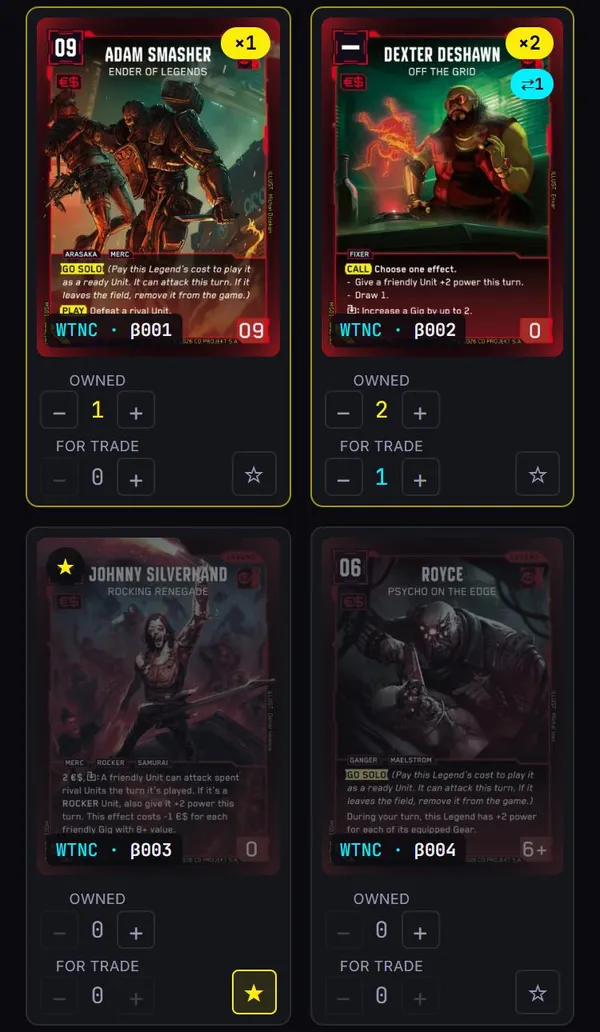
1Mark your cards in the checklist
- A"Owned": how many copies you have.
- B"For trade": how many of them you'd give away.
- C★: a card you're looking for.
Sign in with Google so your collection is saved to your account and the same on every device.
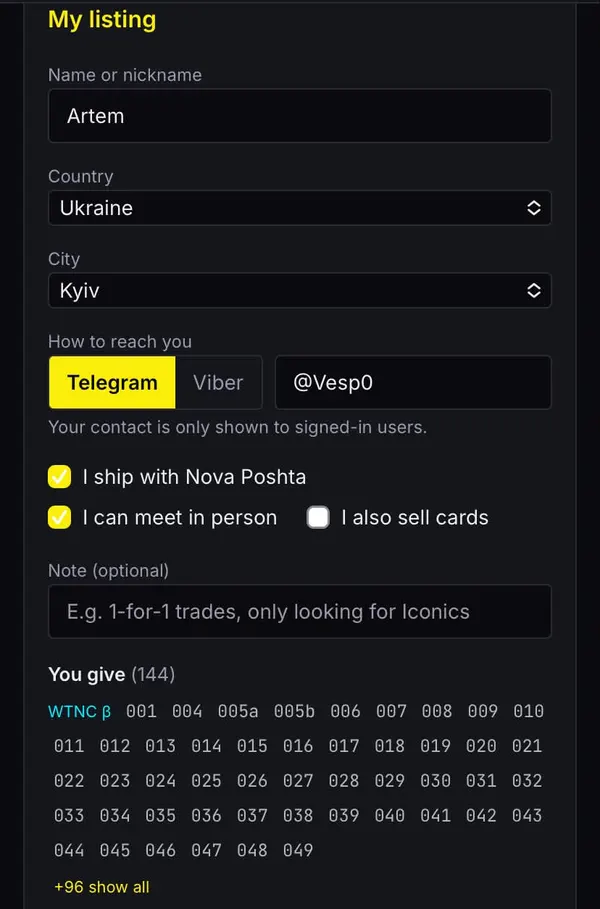
2Publish your listing
- AName or nickname: how others will see you.
- BCity: so people nearby can find you.
- CTelegram, Viber or Discord to reach you. Only signed-in users can see it.
- DPost (Nova Poshta in Ukraine), meeting in person or selling: tick what suits you.
- E"You give" and "You want" fill in from your checklist. Press "Publish".
A listing is hidden after 90 days without changes. Checklist changes count too.
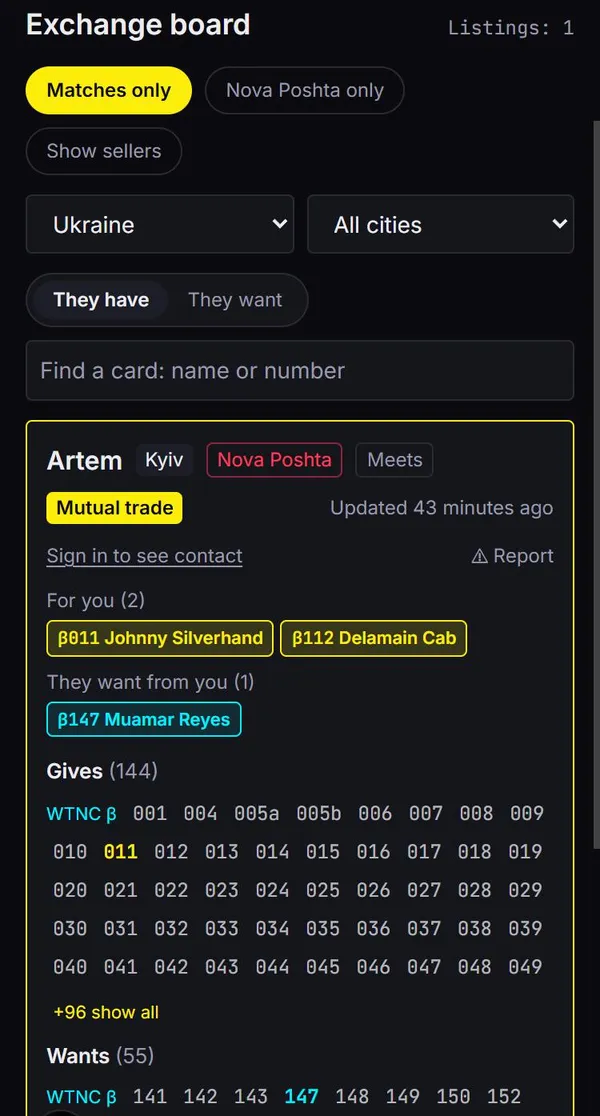
3Find matches
- A"Matches only": shows only people you can trade with.
- B"Mutual trade": you each have something the other wants.
- CYellow cards: they have something you marked ★.
- DBlue cards: they want something you offer for trade.
- EThe same cards are highlighted in the full list. Tap any card to see its picture.
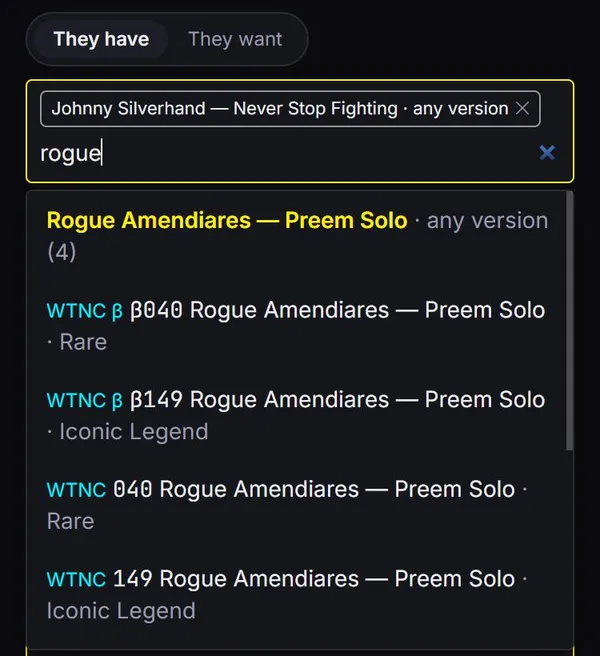
4Search for a specific card
- A"They have": who owns the card. "They want": who's looking for it.
- BYour picked cards. Pick several; remove one with its ✕.
- C"Any version": every printing of the card (Beta, Retail, Iconic…).
- DOr one exact printing, with its set, number and rarity.
Start typing a card's name or number and suggestions appear right away.
5Agree and trade safely
- •Message the person on Telegram, Viber or Discord. Their contact is in the listing (visible once you sign in).
- •Agree on exactly which cards and their condition. Ask for photos if a card is valuable.
- •With Nova Poshta, cash on delivery with inspection is the safest option.
- •Don't send prepayment to strangers. The site isn't part of any deal.
- •Something wrong with a listing? Press "Report" and the administrator will check it.
That's it! The more of your cards are in the checklist, the more matches you'll find. Go to the exchange →